Automated slide-free cell counting with CellDrop
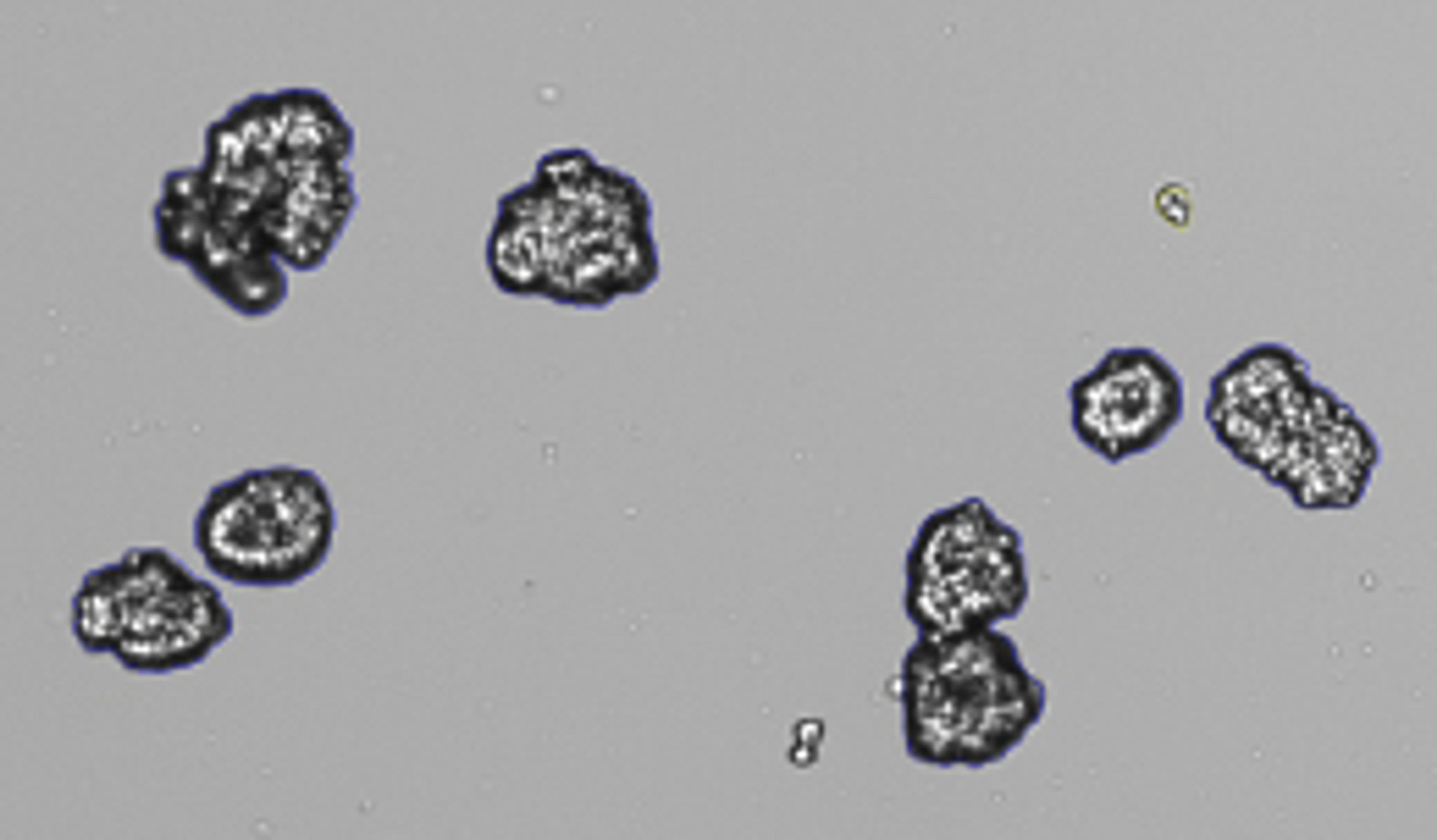
8 Sept 2026Presented by DeNovix Application Scientist Corey Pezak, this webinar demonstrates how the CellDrop Automated Cell Counter can support routine tissue culture counting while helping laboratories handle more challenging samples, including primary cells, nuclei, organoids, and hepatocytes.
The session also explores recent developments in cell counting software, including machine learning applications designed to recognize irregular and complex cellular structures. By eliminating disposable counting slides, CellDrop can also help reduce consumable use and plastic waste while supporting more standardized sample preparation and counting workflows.
Watch the webinar to learn how slide-free cell counting can improve efficiency, consistency, and reproducibility across a broad range of sample types.
About the company

DeNovix
DeNovix is a private company formed in 2011. As scientists and engineers with proven track records of commercializing innovative products, we are passionate about facilitating the advances being made in today’s scientific community. We live in an incredible time where the pace of research is outstripping the capabilities of modern instrumentation. We work with and for the primary research community to ensure new ideas are never limited by current technology.
Our mission is to develop, manufacture and sell innovative products for the life science community with an emphasis on higher technology optics and detection instruments. Our philosophy is to provide products of outstanding value to our customers.
Video transcript
Show transcript
1
00:00:00.660 --> 00:00:04.580
Hi, everybody. Thanks for joining us today, and good morning,
2
00:00:04.920 --> 00:00:06.760
good afternoon, and good evening.
3
00:00:06.840 --> 00:00:10.480
I can see from the attendee list we've got quite a range of
4
00:00:10.540 --> 00:00:12.660
locations for where people are from.
5
00:00:12.760 --> 00:00:16.700
So whatever time of day it is, I really appreciate you joining us
6
00:00:16.740 --> 00:00:17.820
for the webinar today.
7
00:00:19.480 --> 00:00:23.120
So the title of today's webinar is Count Cells Without Slides:
8
00:00:23.820 --> 00:00:25.680
Automating and Optimizing Cell Counting.
9
00:00:26.480 --> 00:00:29.760
My name is Andrew Jones, and I am the market development manager
10
00:00:30.260 --> 00:00:31.300
with DeNovix.
11
00:00:32.439 --> 00:00:36.400
I'll be moderating today, and presenting will be
12
00:00:36.700 --> 00:00:40.200
Cory Pizak, who is one of our application scientists with
13
00:00:40.240 --> 00:00:44.080
DeNovix, and he'll be taking us through how to standardize cancer tissue
14
00:00:44.120 --> 00:00:47.720
culture, primary cells, nucleic acids, and other complex
15
00:00:47.760 --> 00:00:51.500
samples on the CellDrop automated cell
16
00:00:51.560 --> 00:00:52.120
counter.
17
00:00:56.140 --> 00:00:58.320
The webinar will look something like this.
18
00:00:58.600 --> 00:01:02.580
We will have an introduction to the technology of
19
00:01:02.640 --> 00:01:05.710
CellDrop, which will take about 10 minutes, just for those of you who aren't
20
00:01:05.740 --> 00:01:09.600
familiar with it already. We'll then switch to a live
21
00:01:09.640 --> 00:01:13.100
demo. So Cory is based in our Wilmington, Delaware headquarters,
22
00:01:13.720 --> 00:01:17.430
and he's in the lab at the moment, and he'll have some live cells that he's going
23
00:01:17.480 --> 00:01:21.460
to run to show you some examples of how to do that on the
24
00:01:21.480 --> 00:01:22.940
CellDrop. That'll take about 10 minutes.
25
00:01:23.410 --> 00:01:24.680
And then we'll also
26
00:01:25.580 --> 00:01:27.980
finish with a Q&A session.
27
00:01:31.240 --> 00:01:35.140
So for the questions and answers, you will see in the Zoom
28
00:01:35.200 --> 00:01:38.820
interface, you have a Q&A option in there.
29
00:01:39.340 --> 00:01:42.540
During the course of the webinar, if you have any questions, please feel free to
30
00:01:42.600 --> 00:01:44.260
add them to that
31
00:01:45.280 --> 00:01:48.540
section. We'll monitor them, we'll answer them as we go along,
32
00:01:49.160 --> 00:01:52.690
and any of them that are relevant to the wider group, we'll
33
00:01:54.100 --> 00:01:56.280
put those to Cory when we do the Q&A.
34
00:01:57.220 --> 00:02:00.600
So before we get started, I'll just do a quick introduction to DeNovix in case
35
00:02:00.660 --> 00:02:04.540
you're not familiar with our company.
36
00:02:04.560 --> 00:02:08.380
We were founded in 2012 by Fred Kielhorn, and Fred was one of the
37
00:02:08.420 --> 00:02:12.220
original founders of NanoDrop Technologies, if you're familiar with
38
00:02:12.280 --> 00:02:12.920
that technology.
39
00:02:13.900 --> 00:02:16.480
We're based in Wilmington, in Delaware, in the US,
40
00:02:17.460 --> 00:02:21.320
so all of our product development, all of our application support, all of
41
00:02:21.360 --> 00:02:24.800
our manufacturing service, is all based at our HQ
42
00:02:25.320 --> 00:02:26.340
in Wilmington.
43
00:02:27.680 --> 00:02:31.300
We're the inventors of multiple award-winning instruments,
44
00:02:31.740 --> 00:02:35.240
and we're proud to have some of the most highly reviewed
45
00:02:35.300 --> 00:02:39.140
instrumentation on the SelectScience web portal, which is where we choose to
46
00:02:40.800 --> 00:02:41.560
collect our reviews.
47
00:02:42.480 --> 00:02:45.850
We have over 12,000 citations and 1,000 plus reviews from
48
00:02:45.900 --> 00:02:48.200
researchers around the world, which we're very proud of.
49
00:02:49.780 --> 00:02:53.220
We like to think this is a combination of great instrumentation and
50
00:02:53.320 --> 00:02:57.180
our focus on providing the best technical support we
51
00:02:57.260 --> 00:03:00.980
can. So we're laser-focused on being one of the best in the industry for
52
00:03:01.860 --> 00:03:02.820
supporting you.
53
00:03:06.380 --> 00:03:08.600
Our product portfolio has three main pillars.
54
00:03:09.700 --> 00:03:12.060
So our original product line was the DS series,
55
00:03:13.220 --> 00:03:16.780
and that's a very successful micro-volume spectrophotometers,
56
00:03:17.100 --> 00:03:20.920
fluorometers, and combined instruments.
57
00:03:22.620 --> 00:03:26.580
The CellDrop automated cell counters are going to be the focus of today's show.
58
00:03:27.440 --> 00:03:30.560
So I won't talk too much about those because Cory will give you the introduction.
59
00:03:31.460 --> 00:03:35.200
And we're also very excited and very proud to announce our latest
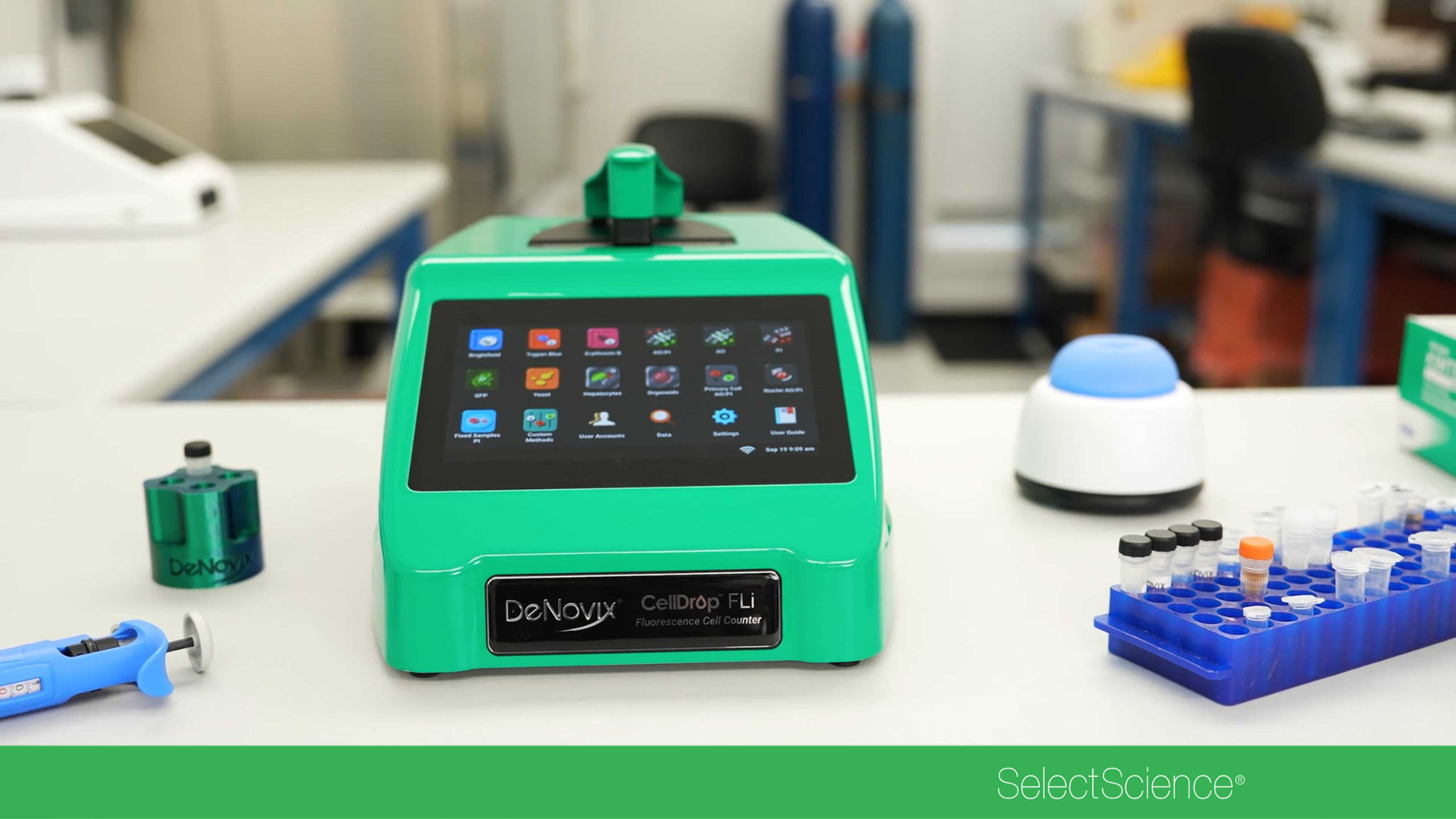
60
00:03:35.240 --> 00:03:39.040
product that we have just launched, which is called the Squid Pipette.
61
00:03:39.090 --> 00:03:39.920
And the Squid Pipette
62
00:03:40.880 --> 00:03:44.590
is a unique instrument. It's the first electronic pipette that
63
00:03:44.660 --> 00:03:48.040
allows you to aspirate the full volume of one to
64
00:03:48.220 --> 00:03:51.560
1,000 microliters in a single device.
65
00:03:52.820 --> 00:03:56.260
So if you're interested in that, lots of information on our website, but that's not
66
00:03:56.280 --> 00:03:59.880
the focus of today. But feel free to reach out for more
67
00:03:59.920 --> 00:04:03.700
information on that if you're in the market for a new pipette.
68
00:04:08.800 --> 00:04:12.780
Today's speaker is Cory Pizak. Cory is a
69
00:04:12.860 --> 00:04:16.800
member of our application support team, based in Wilmington, in
70
00:04:16.840 --> 00:04:20.399
Delaware. As you can see, Cory is in our lab at the moment.
71
00:04:21.161 --> 00:04:24.820
Cory has a master's degree from Villanova in biological
72
00:04:24.920 --> 00:04:28.680
sciences and a specialty in molecular genetics
73
00:04:28.740 --> 00:04:32.480
and immunology. And Cory's focus day-to-day is
74
00:04:32.520 --> 00:04:35.660
largely just providing technical and application
75
00:04:35.720 --> 00:04:39.520
support to our install base and to
76
00:04:39.600 --> 00:04:43.460
anyone currently running free trials on our
77
00:04:43.540 --> 00:04:44.380
instrumentation.
78
00:04:45.760 --> 00:04:47.460
So with that, I'm going to hand over to Cory.
79
00:04:49.940 --> 00:04:51.600
Thank you, Andy, for that introduction.
80
00:04:52.100 --> 00:04:55.260
Before we begin, I just want to tell a very quick and brief story.
81
00:04:55.400 --> 00:04:58.980
So during my graduate studies at Villanova University, my
82
00:04:59.020 --> 00:05:02.700
research focused around macrophages, and I began
83
00:05:03.000 --> 00:05:06.920
by counting them manually with a hemocytometer, and I really wanted something
84
00:05:07.020 --> 00:05:10.800
to streamline that process because, let's be honest, it is a very
85
00:05:10.840 --> 00:05:14.680
laborious process. Luckily, my neighboring lab has
86
00:05:14.840 --> 00:05:17.220
a CellDrop, and I was able to use it.
87
00:05:17.580 --> 00:05:21.560
And I don't want to say this instrument's the reason why I finished my project
88
00:05:21.600 --> 00:05:24.440
three months early, but it had a big part in it.
89
00:05:25.040 --> 00:05:28.940
So enough about me. Let's get into why you're here.
90
00:05:29.560 --> 00:05:33.160
So you may be asking yourself, how does the CellDrop count without slides?
91
00:05:33.680 --> 00:05:37.580
First and foremost, it's the direct pipette technology because
92
00:05:37.640 --> 00:05:41.060
it eliminates the need for expensive classic slides.
93
00:05:41.680 --> 00:05:45.580
This instrument has dual fluorescence and brightfield technology,
94
00:05:45.980 --> 00:05:49.620
which is great for trypan blue and acridine orange and propidium
95
00:05:49.760 --> 00:05:50.560
iodide counting.
96
00:05:51.480 --> 00:05:55.400
It has a suite of apps for multiple workflows and an
97
00:05:55.580 --> 00:05:58.600
HD touchscreen, just like your smartphone or tablet.
98
00:05:59.070 --> 00:06:03.030
And finally, it has flexible connectivity to export your data in
99
00:06:03.140 --> 00:06:03.800
multiple ways.
100
00:06:06.620 --> 00:06:10.540
Now to dive deeper into the direct pipette technology, the
101
00:06:10.600 --> 00:06:14.080
upper and lower sample surfaces are optical grade sapphire
102
00:06:14.180 --> 00:06:18.160
surfaces, so they're very robust and scratch-resistant.
103
00:06:18.200 --> 00:06:22.100
And you could think of the CellDrop as a hemocytometer microscope
104
00:06:22.320 --> 00:06:25.380
hybrid, and you'll see more during the live demo.
105
00:06:25.480 --> 00:06:29.340
So as the animation shows, once you pipette your
106
00:06:29.380 --> 00:06:33.300
sample between the two surfaces, surface tension holds the sample
107
00:06:33.320 --> 00:06:37.240
between the chamber. Now, we do have three chamber heights that are controlled by a
108
00:06:37.300 --> 00:06:39.560
precision screw, which I'll talk about next.
109
00:06:40.140 --> 00:06:43.900
So altogether, this technology is easy to keep clean with no
110
00:06:43.940 --> 00:06:46.520
sample carryover and no calibration required.
111
00:06:49.900 --> 00:06:53.680
So there are benefits of the direct pipette technology.
112
00:06:53.720 --> 00:06:57.640
First and foremost, it's environmentally friendly because again, you do not
113
00:06:57.680 --> 00:07:00.720
need to dispose of any plastics. Now, a few
114
00:07:00.760 --> 00:07:04.500
benefits of the chamber heights. So one, there's no need to
115
00:07:04.520 --> 00:07:07.960
dilute or concentrate your samples because we have a
116
00:07:08.240 --> 00:07:12.160
wide density range of 700 cells per milliliter all the way up to
117
00:07:12.380 --> 00:07:15.970
25 million cells per milliliter. And we also have a large cell
118
00:07:16.080 --> 00:07:19.300
size range from four microns to 400 microns.
119
00:07:20.000 --> 00:07:23.520
Now, I would like to focus on the chart at the bottom of the
120
00:07:23.540 --> 00:07:27.220
screen. As you can see in that middle column, 100 microns,
121
00:07:27.420 --> 00:07:29.100
that's our standard chamber height.
122
00:07:29.140 --> 00:07:32.600
But to the left and to the right of it, we have two other chamber heights
123
00:07:32.640 --> 00:07:35.760
for higher density samples and lower density samples.
124
00:07:38.960 --> 00:07:42.760
Now, the CellDrop has two modes. We have bright field, which is great
125
00:07:42.860 --> 00:07:46.480
for clean tissue culture samples, which you can use trypan
126
00:07:46.520 --> 00:07:49.780
blue or Erythromycin B for viability assays.
127
00:07:49.820 --> 00:07:53.740
We also have dual fluorescence for primary cell samples, or
128
00:07:53.780 --> 00:07:56.320
if your cells have a funky morphology.
129
00:07:56.360 --> 00:08:00.350
This is great to use fluorescent assays like acridine orange propidium iodide,
130
00:08:00.800 --> 00:08:04.100
or if you have a GFP tag inserted in them.
131
00:08:08.320 --> 00:08:11.780
Now, I want to talk a little bit about the assays that I'm going to
132
00:08:11.860 --> 00:08:15.730
demonstrate on the CellDrop. First is the bright field viability
133
00:08:15.840 --> 00:08:18.429
assays of trypan blue and Erythromycin B.
134
00:08:18.920 --> 00:08:20.280
Now, they both select,
135
00:08:21.220 --> 00:08:25.080
they stain dead cells in a dark color, and they permeate into
136
00:08:25.160 --> 00:08:28.300
dead cells and bind to negatively charged molecules.
137
00:08:28.330 --> 00:08:31.180
And they're very commonly used in manual cell counting.
138
00:08:31.709 --> 00:08:35.600
And if you haven't heard of Erythromycin B, don't worry, it is new,
139
00:08:35.701 --> 00:08:38.640
it is non-toxic, and it is better than trypan blue.
140
00:08:42.380 --> 00:08:46.040
Now, let's switch gears to fluorescence counting with acridine
141
00:08:46.120 --> 00:08:49.690
orange propidium iodide, which is commonly referred to as
142
00:08:49.740 --> 00:08:52.280
AO/PI, and I will call it from here on out.
143
00:08:52.900 --> 00:08:56.360
So they are nucleic acid binding dyes. Very, very specific.
144
00:08:57.280 --> 00:09:00.780
So AO permeates the cell membrane of both live and dead
145
00:09:00.940 --> 00:09:04.480
cells, and it fluoresces green, so you can think of green
146
00:09:04.660 --> 00:09:08.610
live. And then PI cannot permeate live membranes and only
147
00:09:08.660 --> 00:09:12.140
enters compromised dead or dying cells, and fluoresces
148
00:09:12.220 --> 00:09:16.020
red. So red dead. And this is because there is a fret
149
00:09:16.030 --> 00:09:19.960
quenching in dead cells that causes PI to absorb the AO
150
00:09:20.080 --> 00:09:23.480
fluorescence signal, ensuring precise counting.
151
00:09:26.580 --> 00:09:30.320
So you may be asking yourself, when and why would I use fluorescence
152
00:09:30.360 --> 00:09:34.060
counting? So again, for primary samples like the top image
153
00:09:34.220 --> 00:09:38.130
that are littered with red blood cells, this
154
00:09:38.200 --> 00:09:42.070
stain is great because trypan blue is a blanket assay and
155
00:09:42.080 --> 00:09:45.600
will non-specifically bind to debris and non-nucleic cells
156
00:09:45.920 --> 00:09:49.600
such as red blood cells. Whereas AO/PI will specifically
157
00:09:49.620 --> 00:09:53.130
bind to live and dead nucleic cells and not
158
00:09:53.180 --> 00:09:54.300
staining red blood cells.
159
00:09:57.760 --> 00:10:01.220
So I want to talk about a little bit of the data between the two assays
160
00:10:01.780 --> 00:10:05.400
and when to use them. So the top graph are Cho tissue
161
00:10:05.460 --> 00:10:09.040
culture cells, and as you can see, there is a one-to-one
162
00:10:09.080 --> 00:10:11.820
comparison with trypan blue and AO/PI.
163
00:10:12.380 --> 00:10:16.260
But the bottom graph are primary PBMC samples, and as you can
164
00:10:16.300 --> 00:10:20.110
see, trypan blue over counted by a factor of two when you're
165
00:10:20.120 --> 00:10:23.909
comparing them to AO/PI, and this just means AO/PI is a lot more
166
00:10:23.920 --> 00:10:24.520
specific.
167
00:10:31.000 --> 00:10:34.800
Hey, Cory. Okay, great. Thanks. So we've got a couple of questions that have come
168
00:10:34.840 --> 00:10:38.700
in already. If you do have more questions, as I mentioned, put them
169
00:10:38.740 --> 00:10:42.000
into the Q&A box, and we'll pick them up as we go along.
170
00:10:43.160 --> 00:10:47.000
Just a couple of questions. First one that we had in was whether the
171
00:10:47.040 --> 00:10:50.860
CellDrop has to be connected to the network in order to analyze cells.
172
00:10:52.080 --> 00:10:55.960
Yeah, great question. It does not, for a few reasons.
173
00:10:56.140 --> 00:10:59.980
The first one is all the data is stored on the instrument
174
00:11:00.060 --> 00:11:03.920
itself, and then you can always export via
175
00:11:04.020 --> 00:11:06.280
USB. So there's no cloud-based storage.
176
00:11:08.160 --> 00:11:11.240
And all the analysis takes place on the instrument as well, of course.
177
00:11:13.360 --> 00:11:17.160
The other question was why does Erythromycin B
178
00:11:17.220 --> 00:11:19.060
work better than trypan blue?
179
00:11:20.400 --> 00:11:24.330
Yeah. So Erythromycin B is superior to trypan blue, like I said, because
180
00:11:24.360 --> 00:11:27.880
it is non-toxic, it has a longer lasting stability when
181
00:11:28.020 --> 00:11:31.840
stored, and enhanced optical contrast for automated counting
182
00:11:31.860 --> 00:11:33.460
systems just like the CellDrop.
183
00:11:36.880 --> 00:11:38.680
Great. Thanks, Cory. That's all the questions we've got for now.
184
00:11:40.580 --> 00:11:40.900
Wonderful.
185
00:11:41.700 --> 00:11:41.980
Thanks.
186
00:11:42.880 --> 00:11:45.480
So now I'm going to be switching to a live demo.
187
00:11:45.840 --> 00:11:49.660
I'm going to be using the CellDrop FLI or the FLI, as we like to
188
00:11:49.700 --> 00:11:51.680
call it. We'll be doing three counts today.
189
00:11:52.100 --> 00:11:54.880
First one is going to be Jurkat with trypan blue.
190
00:11:55.390 --> 00:11:57.380
Then I'm going to switch to fluorescence counting.
191
00:11:57.920 --> 00:12:01.360
The second count is going to be Jurkat with AO/PI, and then primary
192
00:12:01.400 --> 00:12:03.700
PBMC samples with AO/PI.
193
00:12:04.760 --> 00:12:07.260
So here's an overview of the instrument.
194
00:12:07.720 --> 00:12:11.240
As you can see, this screen here is a seven-inch HD
195
00:12:11.340 --> 00:12:14.380
touchscreen. Again, just like your smartphone or your tablet.
196
00:12:14.784 --> 00:12:16.724
And we have the three apps right here.
197
00:12:16.784 --> 00:12:20.094
We have Trypan Blue, AO/PI, and Primary Cell
198
00:12:20.304 --> 00:12:23.024
AO/PI apps that we are going to be using today.
199
00:12:23.084 --> 00:12:26.383
So as we move up, you're going to see where you load your sample.
200
00:12:27.584 --> 00:12:31.464
And as you can see here, once you lift the arm up, we have both sample surfaces.
201
00:12:31.524 --> 00:12:35.024
So we have the lower one here, and we have the upper one up here.
202
00:12:36.064 --> 00:12:39.404
So to load your sample, you're just going to put the arm down.
203
00:12:40.484 --> 00:12:44.184
So I'm going to open up the suite of Trypan Blue apps here, and I'm going to
204
00:12:44.244 --> 00:12:45.784
select the Tissue Culture app.
205
00:12:46.883 --> 00:12:48.144
So now I'm just going to do
206
00:12:49.244 --> 00:12:50.924
a little bit of a mixing of our cells,
207
00:12:51.744 --> 00:12:53.004
mix them with Trypan Blue,
208
00:12:53.964 --> 00:12:55.724
and then I will be loading onto the instrument.
209
00:12:57.244 --> 00:13:01.064
And now I'm doing a one-to-one mixture of 10 microliters
210
00:13:01.264 --> 00:13:04.844
of cells, 10 microliters of Trypan Blue,
211
00:13:05.944 --> 00:13:07.324
and then I'll be loading on the instrument.
212
00:13:16.124 --> 00:13:19.724
And then to load, what you'll do is there's two notches on either
213
00:13:19.823 --> 00:13:23.744
side. You use them as a guide for your pipette tip up
214
00:13:24.424 --> 00:13:27.074
to where the sample surfaces meet, and pipette normally.
215
00:13:28.104 --> 00:13:30.664
So that's my favorite part. This is a live feed.
216
00:13:30.724 --> 00:13:34.504
Watching all of your cells go across the screen is my favorite part.
217
00:13:35.204 --> 00:13:37.324
So what we're going to do now is we're going to check the exposure.
218
00:13:38.004 --> 00:13:41.324
As you can see, we have different exposure settings, and there's going to be these
219
00:13:41.384 --> 00:13:45.304
information boxes on the bottom left of all of these windows just to
220
00:13:45.344 --> 00:13:49.294
show you if you're correctly exposed or not, and that's the same thing with
221
00:13:49.324 --> 00:13:49.864
the focus.
222
00:13:50.724 --> 00:13:53.444
Now everything is set correctly. I'm just going to press count.
223
00:13:54.084 --> 00:13:57.364
And within a few seconds, we're going to see not only a
224
00:13:57.424 --> 00:14:01.364
picture of the cells on screen, but we're also going to see some
225
00:14:01.444 --> 00:14:02.654
data on screen as well.
226
00:14:05.804 --> 00:14:09.704
So as you can see on the left-hand side, we have live cells per mil, dead cells per
227
00:14:09.784 --> 00:14:12.244
mil, total cells, and a viability percentage.
228
00:14:12.844 --> 00:14:16.744
And then if you move down here, you can see some nominal cells as well.
229
00:14:18.004 --> 00:14:21.164
So cleaning the instrument is very quick, very easy.
230
00:14:21.584 --> 00:14:24.264
You're going to take a Kimwipe, fold it up a few times.
231
00:14:24.843 --> 00:14:27.904
And once you lift the arm, data is saved automatically.
232
00:14:28.424 --> 00:14:31.784
And again, these surfaces are optical-grade sapphire.
233
00:14:31.944 --> 00:14:35.184
They're very robust. So you could put a little bit of pressure on them.
234
00:14:35.604 --> 00:14:36.383
You will not break them.
235
00:14:38.404 --> 00:14:41.764
And just like that, we clean the instrument, and we're ready for our next count.
236
00:14:42.814 --> 00:14:46.704
So now I'm going to be going to our AO/PI counting
237
00:14:46.764 --> 00:14:49.174
with our AO/PI app since we're going to be using Jurkats.
238
00:14:51.744 --> 00:14:55.264
And just like with Trypan Blue, I'm going to be mixing some
239
00:14:55.324 --> 00:14:57.464
cells with our AO/PI.
240
00:14:58.784 --> 00:15:02.724
Now, even though it's a fluorescent stain, a lot of people do have that
241
00:15:02.784 --> 00:15:06.524
question of, do I have to incubate my cells before I load them on the cell
242
00:15:06.584 --> 00:15:10.504
drop? And that is no. We do recommend to mix them
243
00:15:11.104 --> 00:15:12.044
and load them right away.
244
00:15:18.724 --> 00:15:21.544
And just like that, you're going to see your cells come across the screen again.
245
00:15:22.304 --> 00:15:26.124
Now, with AO/PI, we have three different channels, just because it
246
00:15:26.184 --> 00:15:28.804
is fluorescent. We're first going to go on the green channel.
247
00:15:29.484 --> 00:15:30.704
We're going to check the exposure.
248
00:15:31.004 --> 00:15:32.744
Again, there's an information button here,
249
00:15:34.004 --> 00:15:35.484
and the focus in the green channel.
250
00:15:37.204 --> 00:15:41.124
Then we're going to move over to the red channel and make sure that the
251
00:15:41.164 --> 00:15:44.284
exposure is set properly as well, and only the
252
00:15:44.304 --> 00:15:47.684
exposure. Everything is set, and now I'm going to press count.
253
00:15:48.184 --> 00:15:52.044
And you may have noticed I did not change the focus and exposure settings,
254
00:15:52.464 --> 00:15:56.144
and that's because the instrument remembers all the settings that you
255
00:15:56.364 --> 00:16:00.324
previously inputted. So that means a very quick workflow
256
00:16:00.364 --> 00:16:02.624
that you don't have to change settings between counts.
257
00:16:03.384 --> 00:16:07.044
And just like the Trypan Blue app, you're going to have your live cells, your dead
258
00:16:07.104 --> 00:16:10.044
cells, and a viability percentage with nominal data.
259
00:16:11.164 --> 00:16:13.844
Now, if you need to gate on the fly, you can do so.
260
00:16:14.404 --> 00:16:18.104
If you touch this button down here on the bottom left, a graph is going to pull up,
261
00:16:18.244 --> 00:16:22.024
and you can use this sliding bar to gate your minimum or
262
00:16:22.144 --> 00:16:25.884
maximum size. And then if you do so, you can apply those
263
00:16:25.904 --> 00:16:26.884
gatings to result,
264
00:16:27.704 --> 00:16:31.004
and the live and dead cells will change.
265
00:16:34.084 --> 00:16:37.064
Again, cleaning just like the Trypan Blue app.
266
00:16:37.204 --> 00:16:37.744
We're just going to
267
00:16:38.784 --> 00:16:42.764
firmly press and wipe the top and bottom sample surfaces.
268
00:16:45.844 --> 00:16:49.604
So now I'm really going to show you why AO/PI is so valuable
269
00:16:50.124 --> 00:16:51.584
because I'm going to
270
00:16:52.404 --> 00:16:55.374
do a primary cell count with PBMCs
271
00:16:57.304 --> 00:16:58.604
and whole blood.
272
00:17:01.824 --> 00:17:04.744
So again, just doing my one-to-one dilution.
273
00:17:05.924 --> 00:17:07.004
We're going to mix really quickly,
274
00:17:08.764 --> 00:17:09.464
and we're going to load.
275
00:17:16.704 --> 00:17:20.184
And as you can see on screen, there's a lot of darker
276
00:17:21.264 --> 00:17:23.714
cells. Those are the red blood cells.
277
00:17:24.204 --> 00:17:27.844
And as you can see in the green channel, we do have a few green dots.
278
00:17:27.944 --> 00:17:31.774
Those are our live cells. And in the red channel, you will
279
00:17:31.864 --> 00:17:35.844
see some dead cells. And then we're just going to go ahead and press count.
280
00:17:36.844 --> 00:17:40.694
And again, within a few seconds, we're going to get an accurate count of live and
281
00:17:40.764 --> 00:17:42.954
dead cell samples within the sample.
282
00:17:44.284 --> 00:17:48.154
So as you can see here, all of the darker cells are
283
00:17:48.184 --> 00:17:50.154
red blood cells, and they're not being picked up,
284
00:17:51.144 --> 00:17:52.304
but these green ones are.
285
00:17:53.174 --> 00:17:56.724
And if you just want to check and make sure which cells are live and dead,
286
00:17:57.404 --> 00:18:01.244
we have this channel button right here, which you can look at your cells in any
287
00:18:01.304 --> 00:18:04.064
channel that there is. So I want to look at the green channel.
288
00:18:04.664 --> 00:18:08.384
I could do so here and make sure my green signature is being picked
289
00:18:08.444 --> 00:18:09.064
up.
290
00:18:11.424 --> 00:18:15.284
And now if you want to optimize any settings, you could do so on the fly as
291
00:18:15.324 --> 00:18:16.904
well with this optimized settings button.
292
00:18:17.484 --> 00:18:21.374
If you change any of these parameters, you can count with the current settings
293
00:18:21.964 --> 00:18:25.444
And then a green box over here will pop up saying Save settings to
294
00:18:25.464 --> 00:18:29.324
protocol, so you don't have to write anything down or remember them.
295
00:18:29.384 --> 00:18:31.524
And there's two ways to export data.
296
00:18:31.744 --> 00:18:35.374
The first is in this app, and the second is in the data app that we have.
297
00:18:36.084 --> 00:18:39.124
So if you hit this export button, you can see the items you can
298
00:18:39.164 --> 00:18:41.644
export. So maybe I just want the CSV.
299
00:18:42.384 --> 00:18:45.564
And then once I press next, there's the different destinations.
300
00:18:45.624 --> 00:18:49.564
So we do have USB, or you can export via email, network
301
00:18:49.644 --> 00:18:51.164
folder, or network printer.
302
00:18:53.484 --> 00:18:55.884
Now, I do want to show you the data app.
303
00:18:57.104 --> 00:19:01.004
So as you lift the arm and you wipe away, your data is automatically
304
00:19:01.024 --> 00:19:01.404
stored.
305
00:19:02.244 --> 00:19:04.764
So once you open the data app, you'll select by app.
306
00:19:05.504 --> 00:19:09.444
So I'm going to go into AO/PI. You can select by a certain protocol if you
307
00:19:09.524 --> 00:19:13.444
work with one protocol, or you could recall a week's worth of date
308
00:19:13.524 --> 00:19:14.084
if need be.
309
00:19:15.284 --> 00:19:19.134
So I'm just going to take this count, add it to a report, because I don't want
310
00:19:19.184 --> 00:19:19.964
all of these counts.
311
00:19:21.904 --> 00:19:25.114
And then I'm going to click here, and if I were to press that export button, it
312
00:19:25.124 --> 00:19:27.504
would be the same way as if I were in the app.
313
00:19:27.964 --> 00:19:31.764
Another cool feature that we have, if you press on results list and go to
314
00:19:31.784 --> 00:19:32.194
graphs,
315
00:19:33.004 --> 00:19:36.004
we have a lot of different graphs that we show here on screen.
316
00:19:37.824 --> 00:19:41.734
So now that I'm done with the demo, I do want to talk a little bit more about
317
00:19:41.784 --> 00:19:43.184
the CellDrop itself.
318
00:19:48.424 --> 00:19:52.104
So we do have four models. We have a fluorescence and brightfield
319
00:19:52.164 --> 00:19:54.084
model, and a brightfield-only model.
320
00:19:54.564 --> 00:19:58.224
We have a 4X objective that can count cells between four and
321
00:19:58.424 --> 00:20:02.364
400 microns, and a 10X objective that can count between two
322
00:20:02.374 --> 00:20:03.424
and 20 microns.
323
00:20:06.124 --> 00:20:09.224
And we can support a wide variety of applications such as
324
00:20:09.244 --> 00:20:12.344
protoplasts, stem cells, algae, and even yeast.
325
00:20:17.424 --> 00:20:21.324
And along with our regular counting apps, we've also developed two
326
00:20:21.364 --> 00:20:25.124
machine learning apps. So we have an organoids app and a hepatocytes app.
327
00:20:25.464 --> 00:20:29.214
So the organoids app was designed for organoid, spheroid, or tumor
328
00:20:29.284 --> 00:20:32.724
sphere cell types, and this app reports counts, size
329
00:20:32.784 --> 00:20:36.724
distributions, and density. And then the hepatocytes app is
330
00:20:36.764 --> 00:20:40.014
great for drug metabolism and toxicology workflows.
331
00:20:40.454 --> 00:20:43.813
So this app reports live and dead hepatocytes along with
332
00:20:43.824 --> 00:20:47.784
leukocytes and debris. Now, the counting algorithms have already
333
00:20:47.804 --> 00:20:51.544
been trained by me and the rest of my colleagues, so it does not need to be
334
00:20:51.584 --> 00:20:52.784
trained on your samples.
335
00:20:58.264 --> 00:21:01.944
If you're sitting there right now and you may work with samples that are
336
00:21:01.984 --> 00:21:05.824
biohazardous and you need to use slides in your workflow, you can
337
00:21:05.864 --> 00:21:09.724
still use slides on the CellDrop. We do have a slide mode.
338
00:21:10.644 --> 00:21:14.584
You can use our Dinovix reusable slide or select
339
00:21:14.624 --> 00:21:15.563
disposable slides.
340
00:21:20.524 --> 00:21:23.784
So now that I've talked about the instrument, I want to take this time to thank
341
00:21:23.844 --> 00:21:27.674
everyone who has not only bought our instruments, but even taken the time
342
00:21:27.724 --> 00:21:31.604
to review our instruments. So without each and every single one of you, we
343
00:21:31.644 --> 00:21:35.484
would not be able to continue to create instruments that sit at the
344
00:21:35.524 --> 00:21:37.194
forefront of cutting-edge research.
345
00:21:42.364 --> 00:21:45.804
To wrap up this webinar, I want you all to leave with two things in
346
00:21:45.844 --> 00:21:49.624
mind. First, that the direct pipette technology is unique
347
00:21:49.684 --> 00:21:53.564
because it reduces plastic waste, it has cost benefits, and
348
00:21:53.604 --> 00:21:57.574
it's fast and easy to use. The second thing I want you to walk away with is
349
00:21:57.604 --> 00:22:01.344
the performance of the CellDrop. So the three different chamber heights
350
00:22:01.404 --> 00:22:04.934
allow for a wider dynamic range. It is feature-rich and
351
00:22:04.944 --> 00:22:07.394
produces high quality and accurate results.
352
00:22:07.744 --> 00:22:09.444
And finally, it is fully networked.
353
00:22:11.304 --> 00:22:11.964
Thanks, Cory.
354
00:22:12.884 --> 00:22:16.824
Got a lot of questions coming. So maybe we can make a start on those
355
00:22:16.864 --> 00:22:17.304
straight away.
356
00:22:18.824 --> 00:22:22.264
Okay. So first question was that you mentioned algae.
357
00:22:23.164 --> 00:22:25.184
Can you do native fluorescence of chlorophyll?
358
00:22:26.084 --> 00:22:29.264
Yeah, that's one of the cooler applications that our customers use this instrument
359
00:22:29.364 --> 00:22:33.284
for. So we do have customers that use the CellDrop to count
360
00:22:33.344 --> 00:22:37.184
their intrinsically fluorescent chlorophyll samples, and we do have tech
361
00:22:37.224 --> 00:22:39.584
notes on our website that describe how we can do that.
362
00:22:41.964 --> 00:22:42.783
Cool. Thank you.
363
00:22:44.544 --> 00:22:45.244
Question about
364
00:22:46.084 --> 00:22:47.243
two kind of software ones.
365
00:22:48.144 --> 00:22:52.064
How many samples can you store on the instrument, and does the
366
00:22:52.104 --> 00:22:54.844
instrument allow for multiple user accounts?
367
00:22:55.824 --> 00:22:59.744
That's a great question. We do not have a definitive number of
368
00:22:59.764 --> 00:23:03.724
counts that can be stored on this instrument, just because it takes into account
369
00:23:04.504 --> 00:23:08.424
not only counts, but also images. But it does have 256 gigabytes
370
00:23:08.464 --> 00:23:11.864
of storage. And we have a users accounts app
371
00:23:12.264 --> 00:23:13.024
that can
372
00:23:13.944 --> 00:23:16.644
input a lot of users within the CellDrop.
373
00:23:18.424 --> 00:23:20.664
And it's in the thousands of samples, right?
374
00:23:21.404 --> 00:23:21.644
Mm-hmm.
375
00:23:23.824 --> 00:23:24.064
Okay.
376
00:23:25.404 --> 00:23:28.024
Can you graph multiple samples together?
377
00:23:28.104 --> 00:23:29.804
So you showed the graph questions.
378
00:23:29.904 --> 00:23:33.804
Can you overlay them and have multiple samples in those graphs?
379
00:23:34.964 --> 00:23:38.784
Yeah, you can have, for the graphs feature, you can see different samples
380
00:23:38.884 --> 00:23:39.624
side by side
381
00:23:40.504 --> 00:23:42.224
with all of the different features that we have.
382
00:23:42.284 --> 00:23:45.344
So we have live cells, dead cells only, viability,
383
00:23:46.564 --> 00:23:47.004
size.
384
00:23:49.284 --> 00:23:51.104
A couple of questions about the PBMC
385
00:23:52.124 --> 00:23:55.944
samples. The first question was which dye
386
00:23:56.024 --> 00:23:59.904
is the best for counting PBMCs? And I think it's
387
00:23:59.914 --> 00:24:02.604
probably the one that you were using, which was AO/PI, right?
388
00:24:03.264 --> 00:24:06.204
Mm-hmm. Yeah. Not trying to be biased, but yes.
389
00:24:07.284 --> 00:24:10.684
Yeah, no, I think it's reasonable. I think it's a good dye for that.
390
00:24:11.984 --> 00:24:14.504
The other question about PBMCs, came in
391
00:24:16.284 --> 00:24:20.024
asking about all of the cells in
392
00:24:20.124 --> 00:24:23.204
that particular image that weren't counted.
393
00:24:23.244 --> 00:24:26.864
There were a lot of cells in there that weren't counted, and the question was what
394
00:24:26.924 --> 00:24:29.303
were they and why weren't they counted?
395
00:24:30.516 --> 00:24:34.416
Yeah. So all the darker cells in the background that were not counted that you all
396
00:24:34.456 --> 00:24:37.726
saw were red blood cells, and that's just because they're
397
00:24:37.776 --> 00:24:41.696
non-nucleic cells, and AO/PI does not bind to those cells.
398
00:24:42.736 --> 00:24:42.896
Yep.
399
00:24:45.756 --> 00:24:47.776
So we've got a load more come in as well.
400
00:24:49.436 --> 00:24:53.156
Let me just catch up on these. There was a question about the machine
401
00:24:53.256 --> 00:24:54.416
counting of organoids.
402
00:24:56.136 --> 00:24:58.076
Is it a specific type of organoids?
403
00:24:58.116 --> 00:25:01.896
Does it depend on size, or is it trained on multiple species,
404
00:25:01.956 --> 00:25:02.695
multiple types?
405
00:25:03.736 --> 00:25:07.336
Yeah. That's a great question. So the organoids app does depend on
406
00:25:07.416 --> 00:25:10.135
size. We have two different chamber heights for that app.
407
00:25:10.336 --> 00:25:14.136
We have a 200-micron chamber height and then a 400-micron chamber
408
00:25:14.176 --> 00:25:18.116
height. I would definitely say the max organoid
409
00:25:18.156 --> 00:25:21.696
that we can count is getting up to the 400 microns in diameter.
410
00:25:21.936 --> 00:25:25.236
But if you are definitely interested in learning more about that app, we do have a
411
00:25:25.276 --> 00:25:28.036
tech note, or you can reach out to me or one of my colleagues.
412
00:25:29.076 --> 00:25:29.236
Yeah.
413
00:25:30.816 --> 00:25:31.036
Cool.
414
00:25:32.016 --> 00:25:35.616
There was a question from a current user about how you
415
00:25:35.716 --> 00:25:36.936
change the chamber height
416
00:25:37.776 --> 00:25:41.276
and if you could explain that. I don't know if we can switch back to the
417
00:25:41.316 --> 00:25:43.295
instrument or not, whether we have that set up.
418
00:25:45.616 --> 00:25:48.136
Yeah. So we could definitely show this screen again.
419
00:25:48.736 --> 00:25:52.216
So it would be in the protocols section of
420
00:25:52.276 --> 00:25:55.696
the app. So I'm just going to pick the Brightfield app,
421
00:25:57.136 --> 00:26:00.496
and then once I get onto protocols, if everybody can see my screen, I'm going to
422
00:26:00.516 --> 00:26:02.816
hit this plus button here to create a new protocol.
423
00:26:03.536 --> 00:26:06.316
And then towards the bottom left, you will see chamber height.
424
00:26:06.816 --> 00:26:10.686
So once you select one of these, maybe the 400 or the 50, and
425
00:26:10.716 --> 00:26:14.336
then you're going to have to save that protocol and then switch to that protocol
426
00:26:14.396 --> 00:26:16.476
because it will always go to the default.
427
00:26:16.836 --> 00:26:20.716
Once you do either the 400 or the 50, you'll see the arm either raise
428
00:26:20.776 --> 00:26:24.036
or lower, and that's how you know that you changed your chamber height.
429
00:26:25.336 --> 00:26:28.806
Perfect. So, good, before you get out of that... Yeah, too late.
430
00:26:29.316 --> 00:26:32.446
There was a related question that I've just seen that was
431
00:26:32.856 --> 00:26:36.566
about how you handle non-circular
432
00:26:36.596 --> 00:26:37.076
cells.
433
00:26:38.036 --> 00:26:39.455
This is probably a good screen to
434
00:26:40.496 --> 00:26:41.295
demonstrate that.
435
00:26:41.816 --> 00:26:41.976
Yeah.
436
00:26:42.876 --> 00:26:46.576
So we have an irregular cell mode. So a lot of automated cell
437
00:26:46.616 --> 00:26:50.576
counters are produced to count circular or near perfect circular cells.
438
00:26:51.096 --> 00:26:54.756
The CellDrop can get away with it a little bit, and we have an irregular cell mode.
439
00:26:55.336 --> 00:26:57.116
This information button is really good.
440
00:26:57.156 --> 00:27:01.116
It shows you two pictures of what an irregular cell mode looks like.
441
00:27:01.196 --> 00:27:04.686
And even with this a little bit funky morphology, we're still highly
442
00:27:04.776 --> 00:27:06.036
accurate.
443
00:27:06.116 --> 00:27:06.236
Mm-hmm.
444
00:27:09.416 --> 00:27:12.956
That's great. I had a couple more questions on
445
00:27:14.196 --> 00:27:17.476
cleaning and what is the required periodic
446
00:27:17.516 --> 00:27:20.516
maintenance, so between samples and periodically.
447
00:27:21.496 --> 00:27:24.156
Yeah. This instrument's really maintenance-free.
448
00:27:24.436 --> 00:27:28.296
As you saw between samples, I was wiping away with a Kimwipe, and my sample
449
00:27:28.356 --> 00:27:32.116
surface was clean. If there is anything on your sample surface
450
00:27:32.176 --> 00:27:34.556
that's left behind by any
451
00:27:35.496 --> 00:27:39.336
debris or anything like that, you can pipette in any alcohol of your
452
00:27:39.396 --> 00:27:43.376
choice or bleach just like you would if you were loading a sample
453
00:27:43.416 --> 00:27:46.596
and just wipe away, and that sample surface will be clean.
454
00:27:49.536 --> 00:27:52.966
There's a couple that I'll group together here, which are asking
455
00:27:53.056 --> 00:27:56.996
about how the CellDrop deals with
456
00:27:57.376 --> 00:27:59.716
clumping cells or aggregated cells.
457
00:28:00.216 --> 00:28:04.066
So there's one question about particularly sticky cells, how well does
458
00:28:04.096 --> 00:28:07.896
it work with them, and also, can you see
459
00:28:09.296 --> 00:28:12.746
how big the clumps are? Do you have any way of seeing
460
00:28:13.356 --> 00:28:16.606
what the cluster size of cells is?
461
00:28:17.776 --> 00:28:21.696
Yeah. So the CellDrop has a declustering algorithm that
462
00:28:21.896 --> 00:28:23.076
it's bread and butter.
463
00:28:23.936 --> 00:28:27.696
So once you count cells, this algorithm can pick out
464
00:28:28.356 --> 00:28:32.076
single cells in a cluster of cells and count those as one.
465
00:28:32.656 --> 00:28:36.496
A few apps do report cluster measurements as well.
466
00:28:39.776 --> 00:28:43.636
So it'll give you a breakdown of clusters of one, two, three,
467
00:28:43.736 --> 00:28:45.066
four, five cells?
468
00:28:45.676 --> 00:28:49.386
Correct. And you can see that in the CSV file or
469
00:28:49.456 --> 00:28:50.516
in the PDF file.
470
00:28:52.396 --> 00:28:52.656
Great.
471
00:28:54.276 --> 00:28:58.225
There's a question about using trypan blue or erythromycin B and
472
00:28:58.276 --> 00:29:02.036
whether the dilution is taken account of, so diluting it with the
473
00:29:02.876 --> 00:29:05.996
reagent itself, or do you have to do that afterwards?
474
00:29:07.156 --> 00:29:10.795
Yeah, that's a great question. So we already factor in that one-to-one
475
00:29:10.836 --> 00:29:14.656
dilution into the protocol, and that's the nice thing about you can create your
476
00:29:14.716 --> 00:29:18.696
own protocol. So if you do any external dilutions, you can
477
00:29:18.776 --> 00:29:21.936
add that into the protocol, and the instrument will do the math for you.
478
00:29:22.156 --> 00:29:24.176
So there is no need for external math.
479
00:29:28.556 --> 00:29:32.416
There's a question about optimizing protocols and whether
480
00:29:32.456 --> 00:29:33.236
there is a sort of
481
00:29:34.436 --> 00:29:37.276
stepwise process to go through
482
00:29:38.716 --> 00:29:40.996
to optimize a protocol.
483
00:29:42.316 --> 00:29:43.356
Yeah. So each app
484
00:29:45.116 --> 00:29:49.036
has its own protocol settings that you can optimize, but I'm going to say the
485
00:29:49.076 --> 00:29:52.696
easiest thing to do is to reach out to me or one of my team members.
486
00:29:53.136 --> 00:29:57.116
We can easily optimize a protocol for your cell type, and then we
487
00:29:57.156 --> 00:30:00.756
send that protocol back to you so you can input it on your instrument, and you
488
00:30:00.796 --> 00:30:04.376
don't have to worry about playing with the settings and making sure it's working
489
00:30:04.396 --> 00:30:04.876
properly.
490
00:30:06.976 --> 00:30:07.336
Yeah.
491
00:30:08.636 --> 00:30:11.956
And it's fair to say, I think, in my experience, that the default protocols get you
492
00:30:12.016 --> 00:30:15.956
a long way, right? So the default protocols are really well-optimized
493
00:30:15.996 --> 00:30:18.396
for the majority of cell types that we use.
494
00:30:19.376 --> 00:30:21.376
And then for anything else, we kind of have the
495
00:30:22.836 --> 00:30:26.696
options in the software that you can use to finesse optimization.
496
00:30:27.436 --> 00:30:31.396
Do you have a way to update the apps on the instrument
497
00:30:31.556 --> 00:30:32.156
over time?
498
00:30:33.088 --> 00:30:35.948
Yes. So all of our software updates are free.
499
00:30:36.168 --> 00:30:39.938
They come out every six months or so, and you can
500
00:30:39.988 --> 00:30:42.078
update the instrument in two different ways.
501
00:30:42.108 --> 00:30:45.888
First is downloading the zip file from our website onto your USB,
502
00:30:46.368 --> 00:30:50.268
or if you're able to connect the instrument to their network via Wi-Fi or
503
00:30:50.308 --> 00:30:52.448
ethernet, you can download the update through there.
504
00:30:55.848 --> 00:30:56.088
Great.
505
00:30:57.068 --> 00:31:00.068
We also have a question about whether the media affects the
506
00:31:00.208 --> 00:31:02.428
AO/PI stain.
507
00:31:03.768 --> 00:31:05.308
Yeah, that's a really good question.
508
00:31:06.308 --> 00:31:10.228
The only media as of right now that can probably have a little
509
00:31:10.288 --> 00:31:14.088
bit of a problem is RPMI media, and that's just because of
510
00:31:14.128 --> 00:31:17.548
phenol red. But there are some workarounds for that.
511
00:31:17.868 --> 00:31:21.728
You can dilute your samples into PBS, and
512
00:31:21.738 --> 00:31:23.708
your AO/PI signature will still be strong.
513
00:31:25.268 --> 00:31:29.008
Perfect. And I think the final question that I can probably take
514
00:31:29.128 --> 00:31:32.768
here is about calibration and whether it
515
00:31:32.808 --> 00:31:34.668
needs an annual calibration.
516
00:31:35.648 --> 00:31:39.398
That's a great question. So this instrument is calibrated for life just
517
00:31:39.428 --> 00:31:43.248
because there is an initialization process that happens each time that you
518
00:31:43.288 --> 00:31:46.668
turn the instrument on. That process just makes sure the
519
00:31:46.728 --> 00:31:50.408
software and hardware are working together and communicating properly.
520
00:31:53.008 --> 00:31:54.268
Perfect. Thank you, Corey.
521
00:31:55.088 --> 00:31:58.608
There are other questions. So some of them are very
522
00:31:58.728 --> 00:32:00.508
specific to different cell types.
523
00:32:01.548 --> 00:32:05.328
So what I might do is say that we'll wrap up the Q&A there.
524
00:32:05.348 --> 00:32:08.988
If we haven't got to your question, I promise we will absolutely follow up with
525
00:32:09.048 --> 00:32:12.748
you. Either Corey or one of the apps team will definitely
526
00:32:12.788 --> 00:32:13.808
answer your question
527
00:32:15.068 --> 00:32:15.568
for you.
528
00:32:16.668 --> 00:32:20.508
After the webinar, we will send you an email with a link to a recording as well.
529
00:32:20.948 --> 00:32:22.628
So if you want to share it with your friends or
530
00:32:23.488 --> 00:32:26.248
look back at any of the particular details, it'll be there.
531
00:32:27.128 --> 00:32:28.828
We'll also put a little survey in there.
532
00:32:29.808 --> 00:32:33.068
We'd really appreciate it if you fill in the survey because it helps us to develop
533
00:32:33.128 --> 00:32:35.288
content that works better for you.
534
00:32:36.548 --> 00:32:40.068
If you have any questions, please feel free to get in touch with us.
535
00:32:40.108 --> 00:32:43.888
All of our details are on deNovix.com, of course.
536
00:32:43.968 --> 00:32:47.468
And if you're interested in the new Squid Pipette, all of the details are on the
537
00:32:47.508 --> 00:32:48.498
website as well.
538
00:32:49.848 --> 00:32:50.128
So,
539
00:32:51.628 --> 00:32:55.128
I would just like to say thank you again, Corey, and thank you to
540
00:32:55.188 --> 00:32:58.368
everyone attending today for a lot of great questions.
541
00:32:58.548 --> 00:32:59.528
Really appreciate it.
What does this video cover?
Topics covered in this video
- How does the DeNovix CellDrop Automated Cell Counter enable slide-free cell counting?
- How does AO/PI improve PBMC counting compared with trypan blue?
- Which primary cells and complex samples can CellDrop count?
- How do CellDrop machine learning apps analyze organoids and hepatocytes?
- How does direct pipette technology reduce plastic waste and improve reproducibility?
Related products
Request Quote for All Products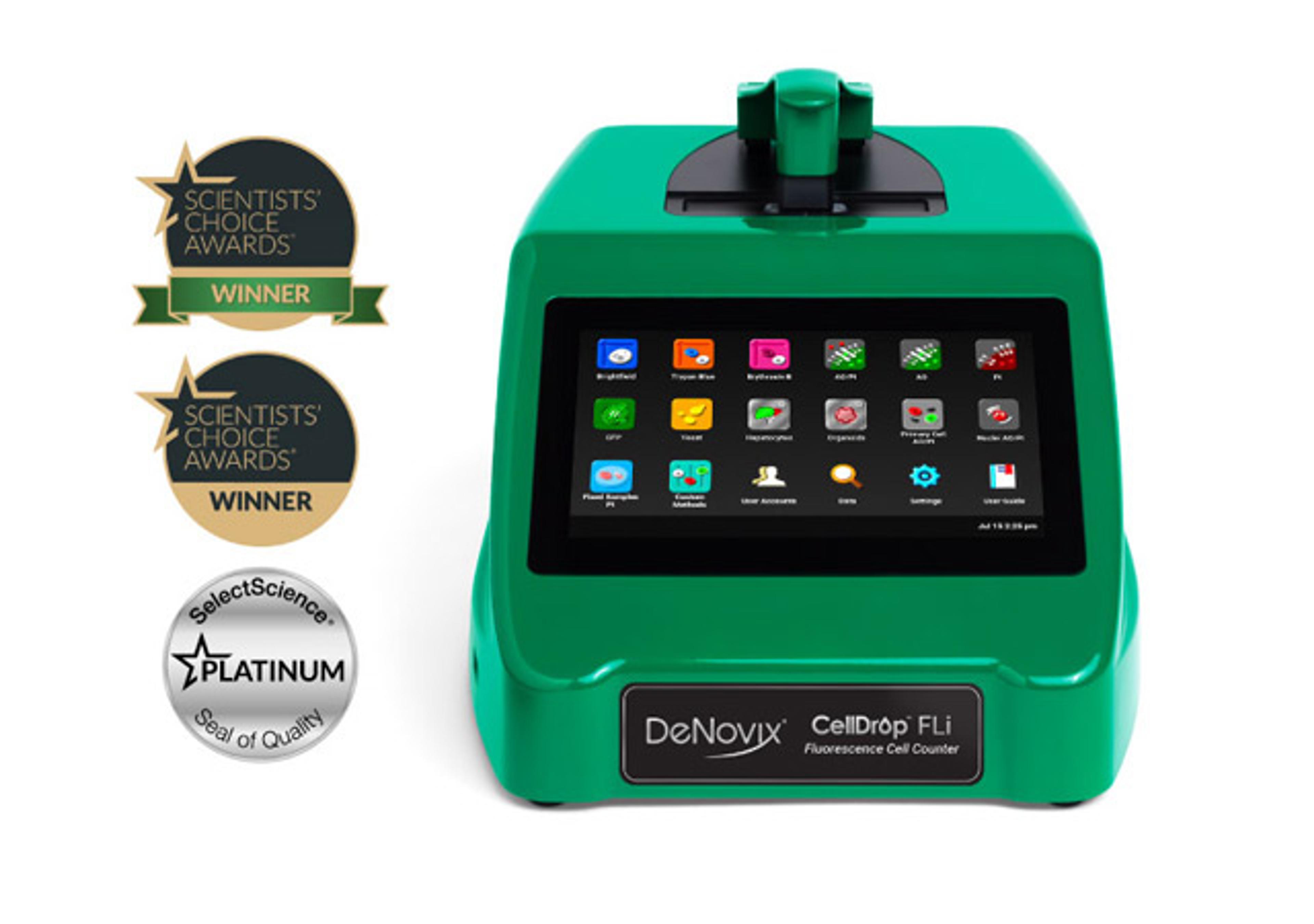
CellDrop™ Automated Cell Counters
DeNovixReduce consumable costs and improve lab sustainability with patented DirectPipette™ technology, or use slide mode for ultimate measurement flexibility. The CellDrop features dual fluorescence and brightfield optics, variable height sample chamber to make cell counting fast, simple, and reproducible.